
X-StudioX-Studio
All case studies
X-StudioX-StudioCase Study

X-Studio × Arc · 2025

A calmer way to plan your entire week.

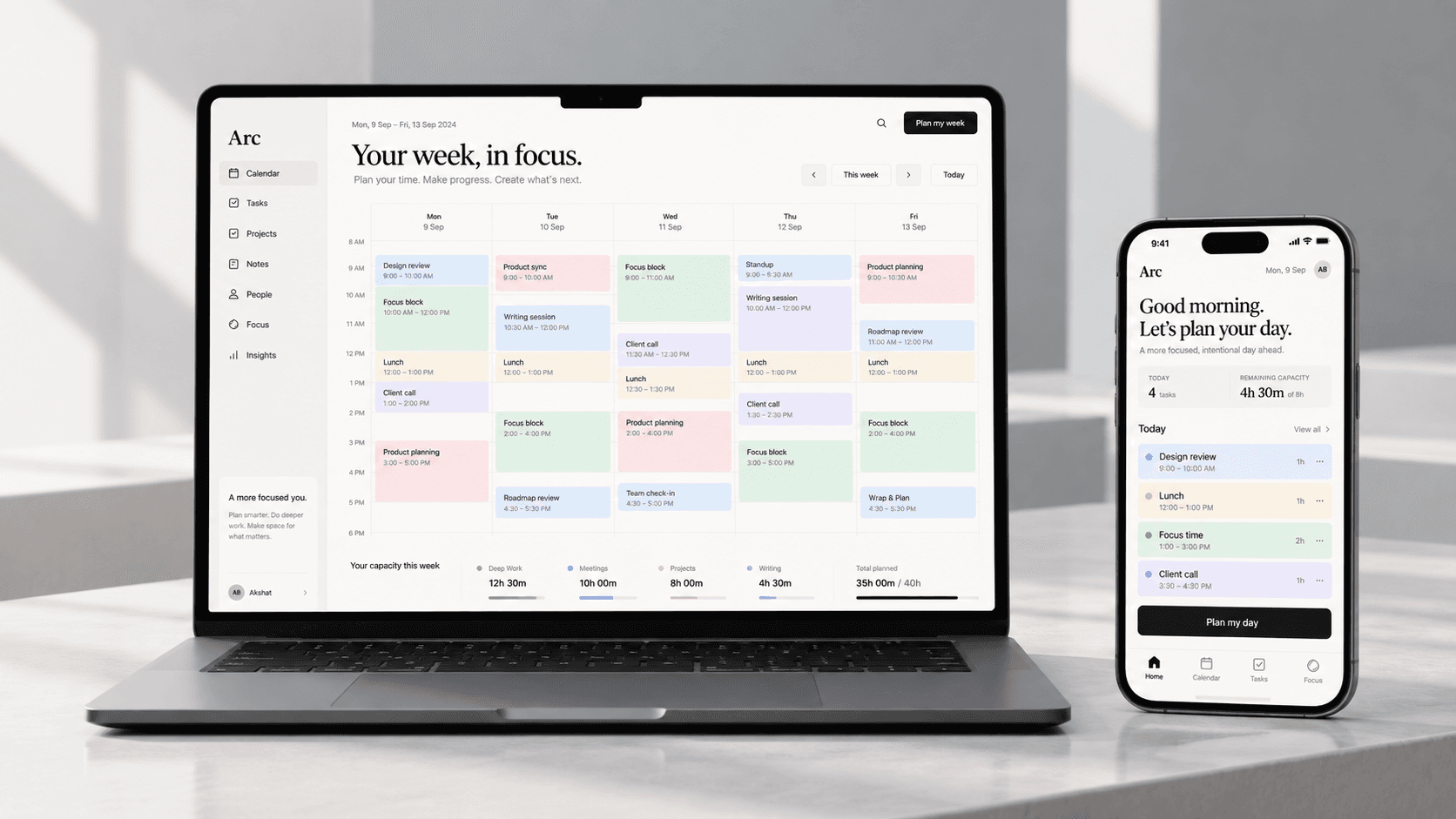
Arc turns intentions into a realistic week. Calendar, tasks, focus time and priorities share one planning model, so the question stops being what is on the list and becomes what deserves the time.

What we did

  • Product Strategy
  • UX/UI
  • Interaction Design
  • Design System
  • Prototyping
  • Motion Direction
Arc on a laptop and phone, showing a planned week of meetings, project work and protected focus blocks
Client
Arc (concept)
Year
2025
Platform
Web & mobile
Scope
Product, system, motion

Studio concept. Arc is an X-Studio exploration rather than client work. It is published to show the studio's approach to productivity software, not to report a shipped outcome.

01 · The project

Planning should create clarity, not more work.

Productivity tools keep calendars, tasks, notes, goals and focus time in separate places, then leave the hardest part to the person using them: deciding what any of it means for the next five days.

Arc is a concept that brings those pieces into one planning model and turns intentions into a realistic week. Rather than asking people to keep managing a schedule, it helps them understand what deserves their time.

This is a studio exploration into a quieter approach to productivity software, designed around the week rather than around an endless list.

02 · The opportunity

A calendar reports the past. A task list reports the backlog.

A calendar tells you where your time went. A task manager tells you what needs to happen. Between the two sits the decision nobody's software actually makes easier.

Arc connects commitments, tasks, focus time and priorities so that the answer is visible rather than assembled by hand every morning.

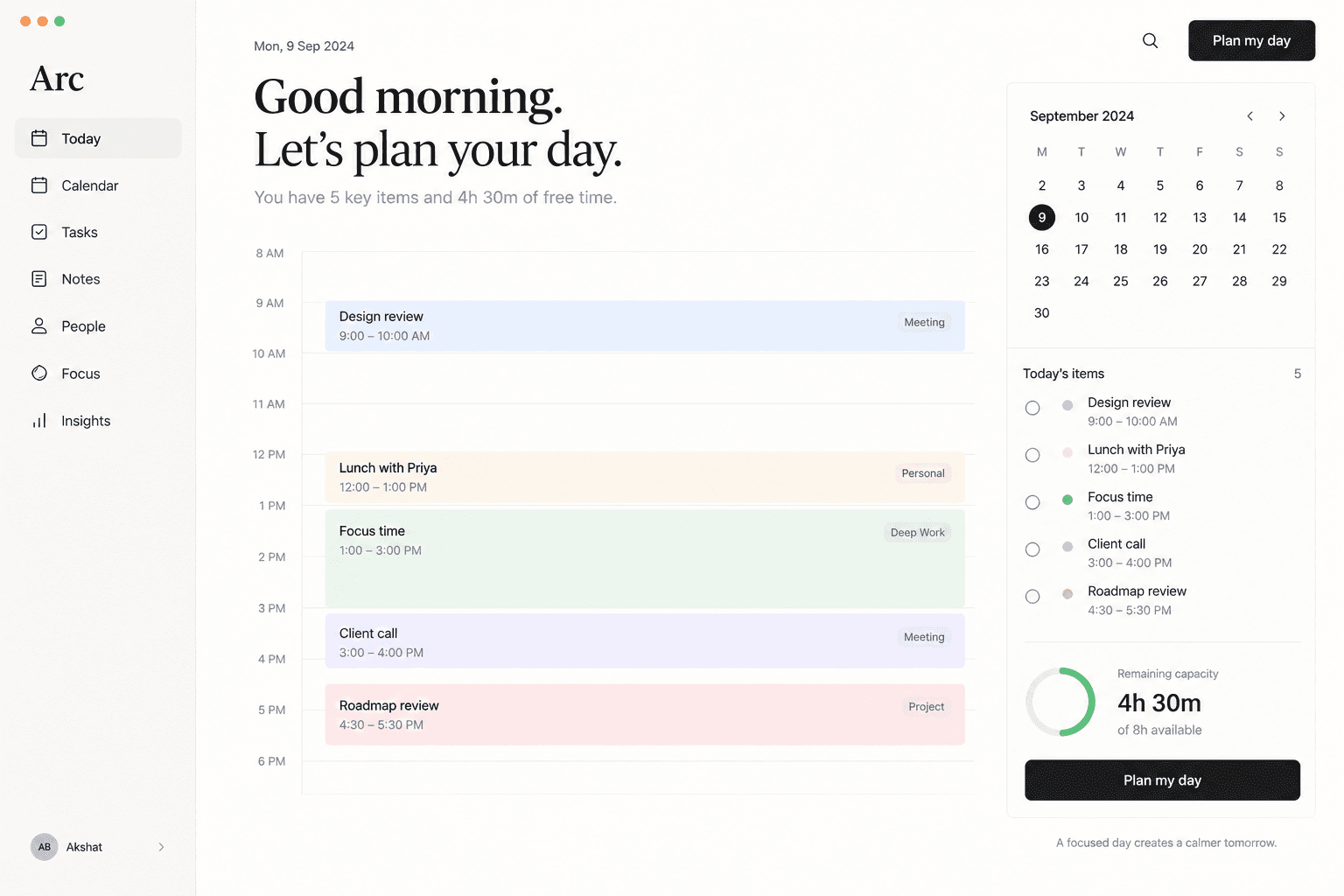
The Arc today view showing the day as a timeline with meetings, focus time and remaining capacity
The daily view answers one question and refuses the rest. Remaining capacity is shown as a number because that is what people are really asking.

What should I do next?

The question neither tool answers

03 · Product principles

Four decisions that shaped everything else.

  • Plan the week, not every minute

    The week is the right level of abstraction for understanding priorities. Arc shows the whole of it before anyone drills into a single task.

  • Intent before schedule

    People start with what they want to accomplish. Arc turns those intentions into time blocks rather than demanding a schedule up front.

  • Protect focus

    Not every hour should be bookable. Focus time is treated as a first-class citizen of the calendar, not a gap between meetings.

  • Reduce maintenance

    A productivity tool should not become another task. Manual scheduling and repetitive organisation are designed out wherever possible.

04 · The signature interaction

One command. Six things it weighs.

Plan my week is the centre of the product. Arc proposes a realistic schedule, and the person can accept it, adjust a block, or regenerate any part of it. The system assists without taking control away.

  • Existing meetings

  • Deadlines

  • Task priority

  • Estimated effort

  • Preferred working hours

  • Focus preferences

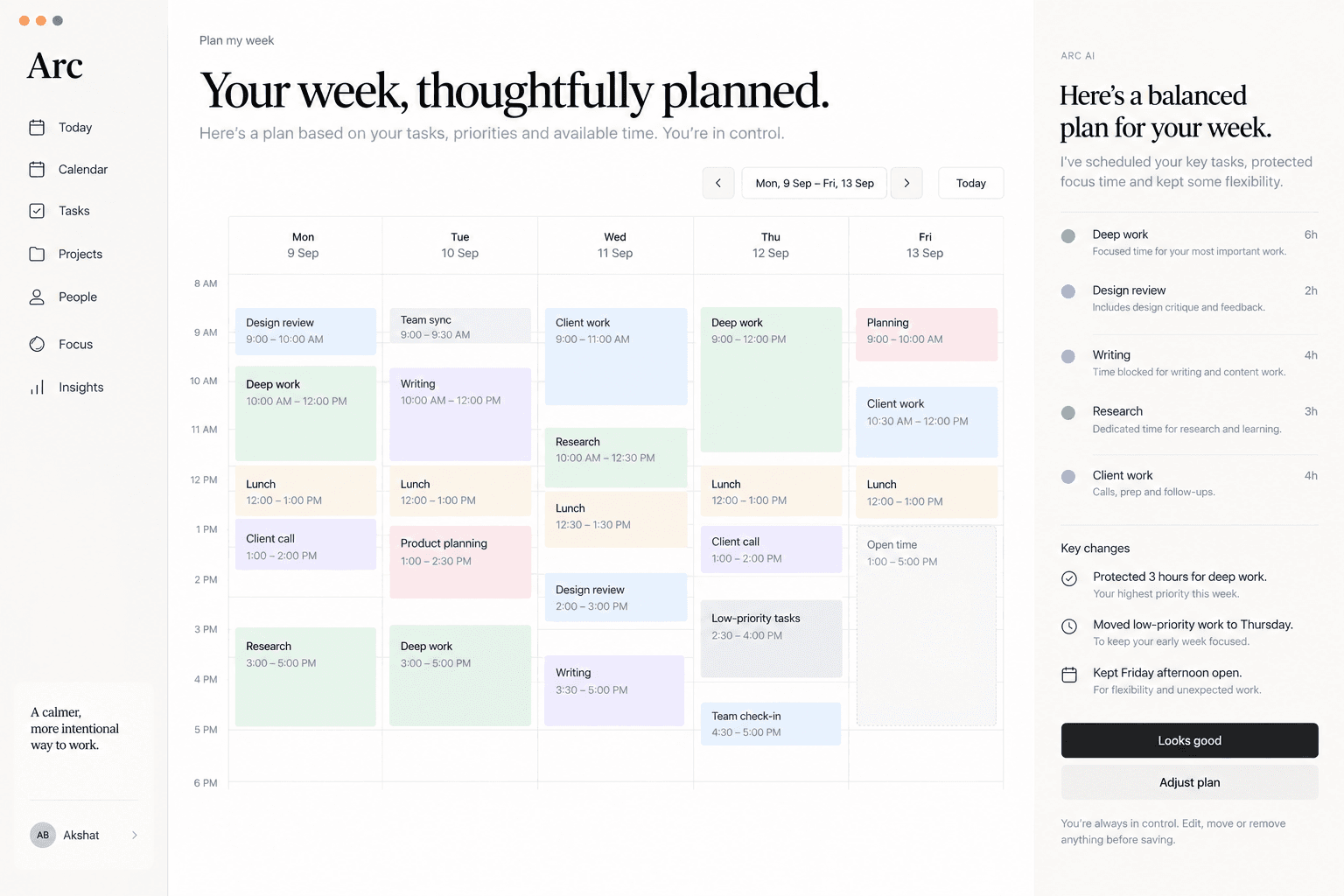
Arc proposing a balanced week, with a panel explaining the protected focus time and the changes it made
Plan my week returns a proposal and its reasoning: what it protected, what it moved and what it deliberately left open. Nothing is applied until the plan is accepted.

05 · The core experience

Four views, one model underneath.

  • Today

    Schedule, important tasks, upcoming meetings, focus blocks and what capacity is left.

  • Calendar

    Meetings and planned work on one timeline, so scheduling a task never creates a second layer of planning.

  • Tasks

    Organised around outcomes and priority, each carrying effort, deadline, project and focus requirement.

  • Focus

    Uninterrupted time reserved in advance, with conflicts made visible before they become problems.

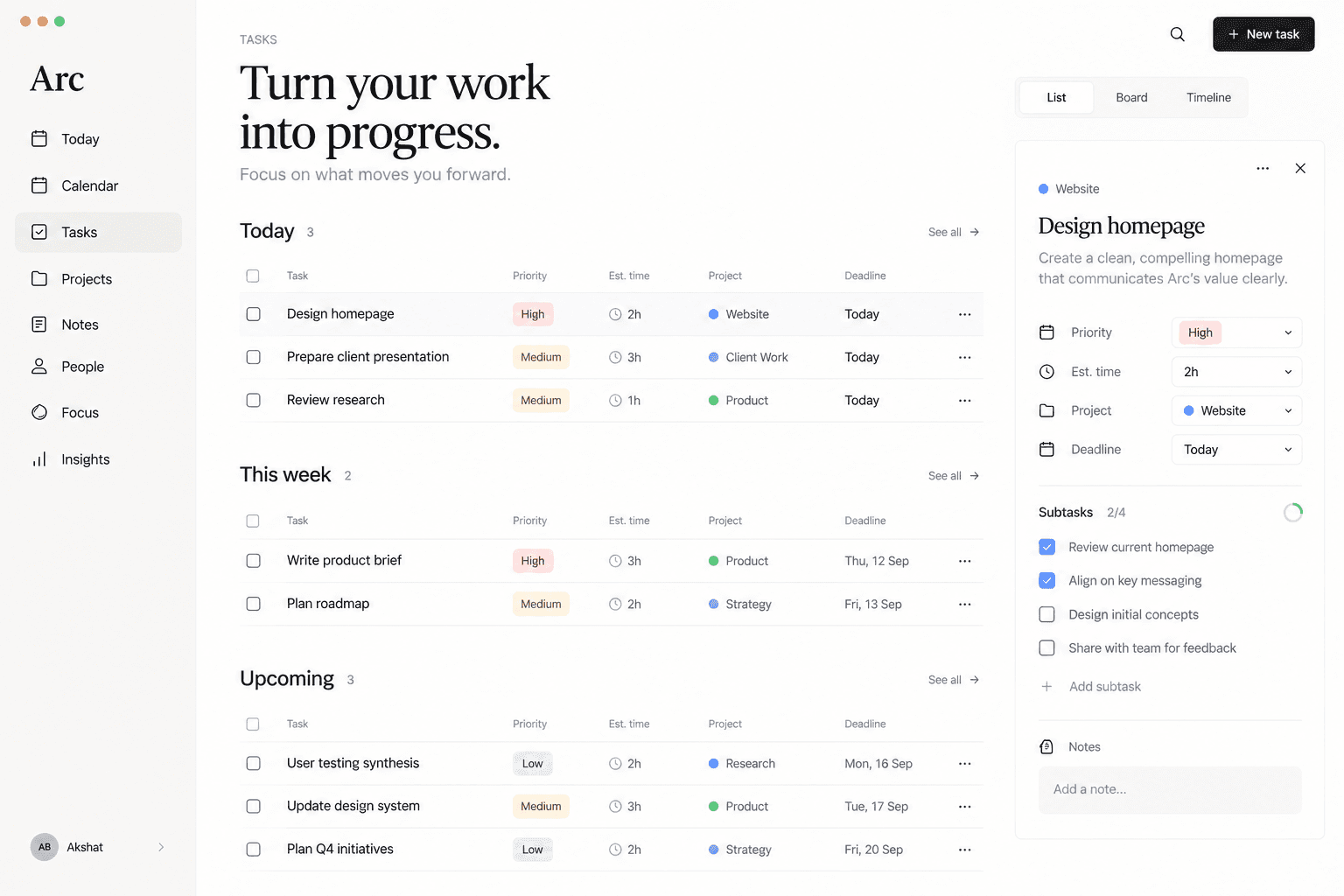
The Arc tasks view showing work grouped by today, this week and upcoming, with priority, estimated time and project
Tasks carry estimated effort, because a list that does not know how long anything takes cannot help build a realistic week.
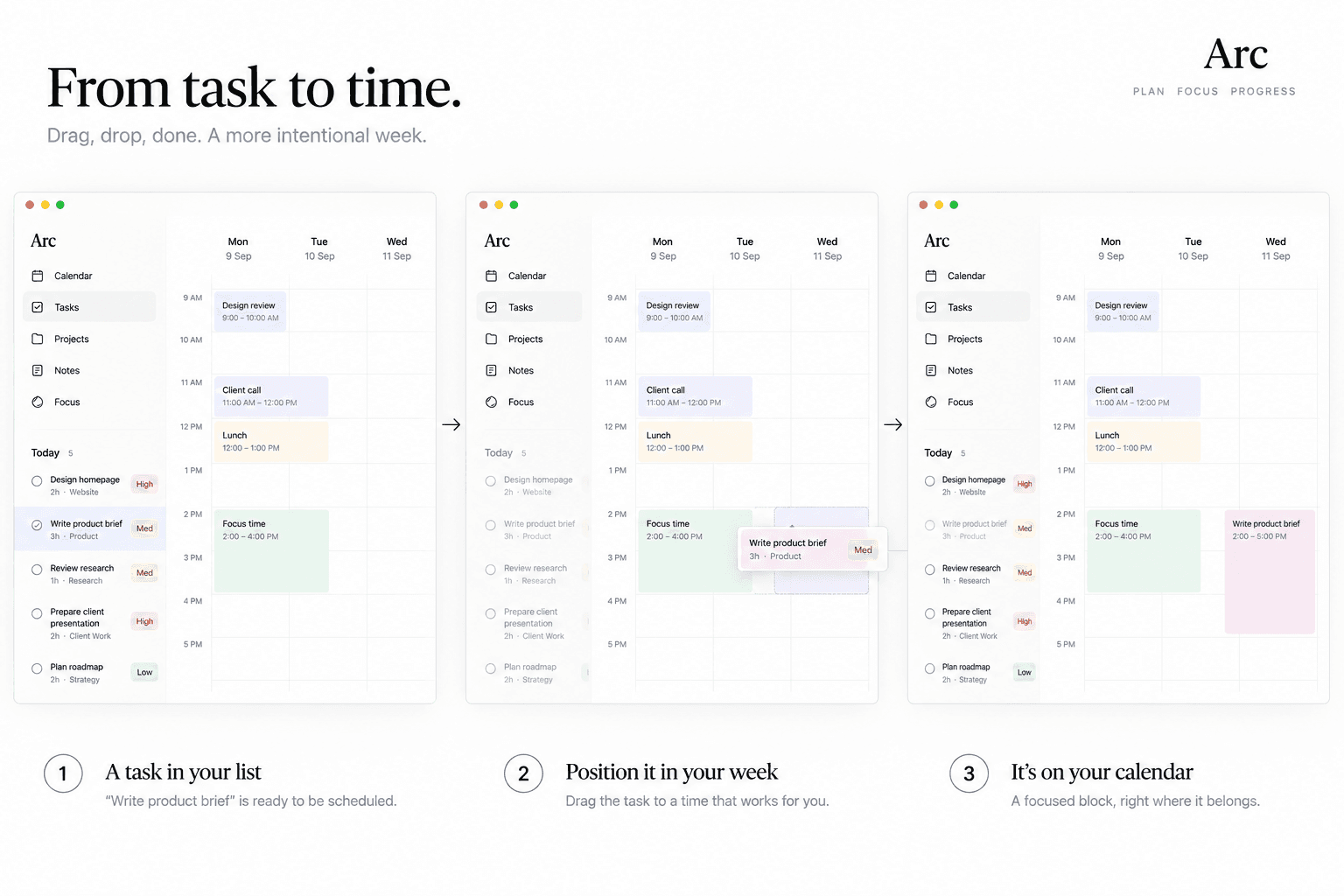
Three steps showing a task being dragged from the list onto the calendar and becoming a scheduled block
A task becomes a block by being dragged onto the week. There is no second planning layer to keep in sync, which is the maintenance most tools quietly create.

06 · The weekly view

Whitespace is how capacity becomes visible.

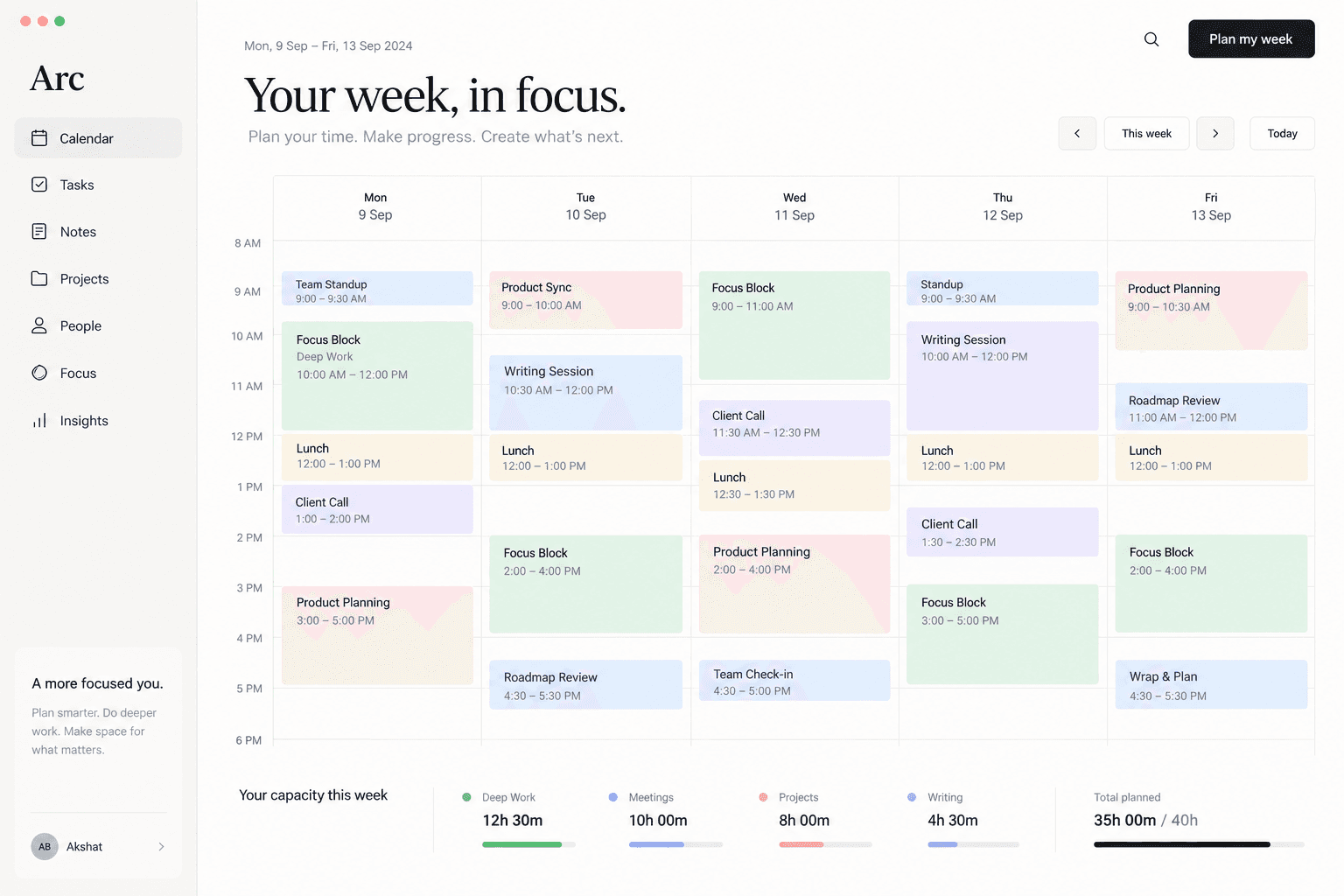
The hero experience is a spacious weekly calendar. Instead of filling every available pixel, Arc leaves room, because an empty afternoon is information too. A full week and an overcommitted one should look different at a glance.

The result is meant to feel closer to a well organised desk than to a command centre.

The Arc weekly calendar with five days of colour-coded blocks and a capacity summary underneath
Capacity in the footer, whitespace in the grid. A full week and an overcommitted one look different before anything is read.

07 · Responsive design

Desktop plans. Mobile executes.

Desktop

Asks: how should I structure my time?

  1. 01See the whole week
  2. 02Rebalance blocks
  3. 03Protect focus
  4. 04Commit to the plan

Mobile

Asks: what should I do now?

  1. 01Review the day
  2. 02Start focus time
  3. 03Complete tasks
  4. 04Re-plan on the move
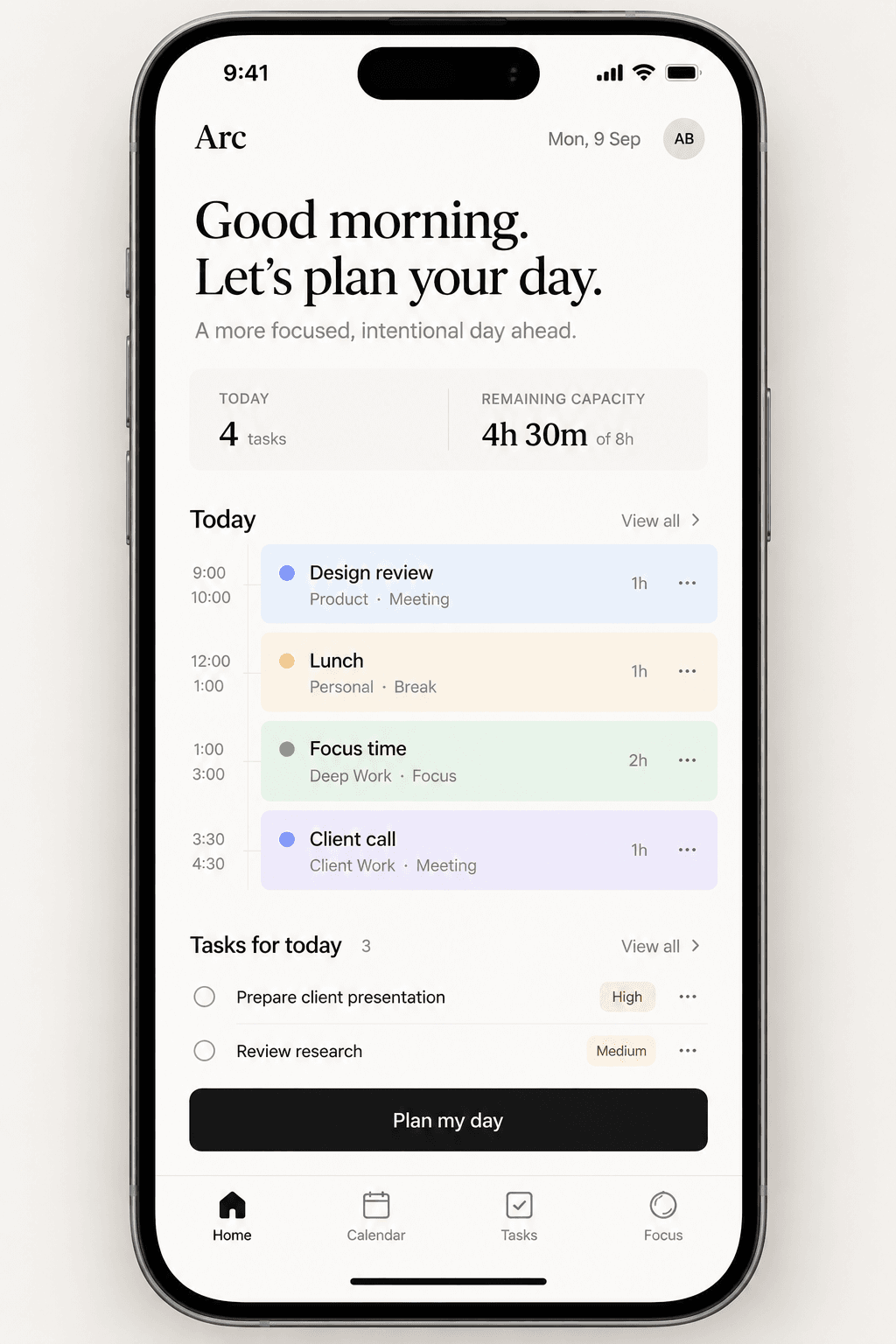
The Arc mobile home screen showing the day, remaining capacity, today's tasks and a plan my day action
Mobile is the execution surface: what is next, how much room is left, and one button to re-plan.

08 · Visual direction

Light, calm, editorial.

  • Typography

    Large type for time and hierarchy, compact utility text for detail.

  • Colour

    A neutral canvas with restrained coding for different kinds of time.

  • Layout

    Generous whitespace, clear vertical rhythm and a strong underlying grid.

  • Motion

    Movement makes scheduling feel physical: dragging, expanding, rebalancing.

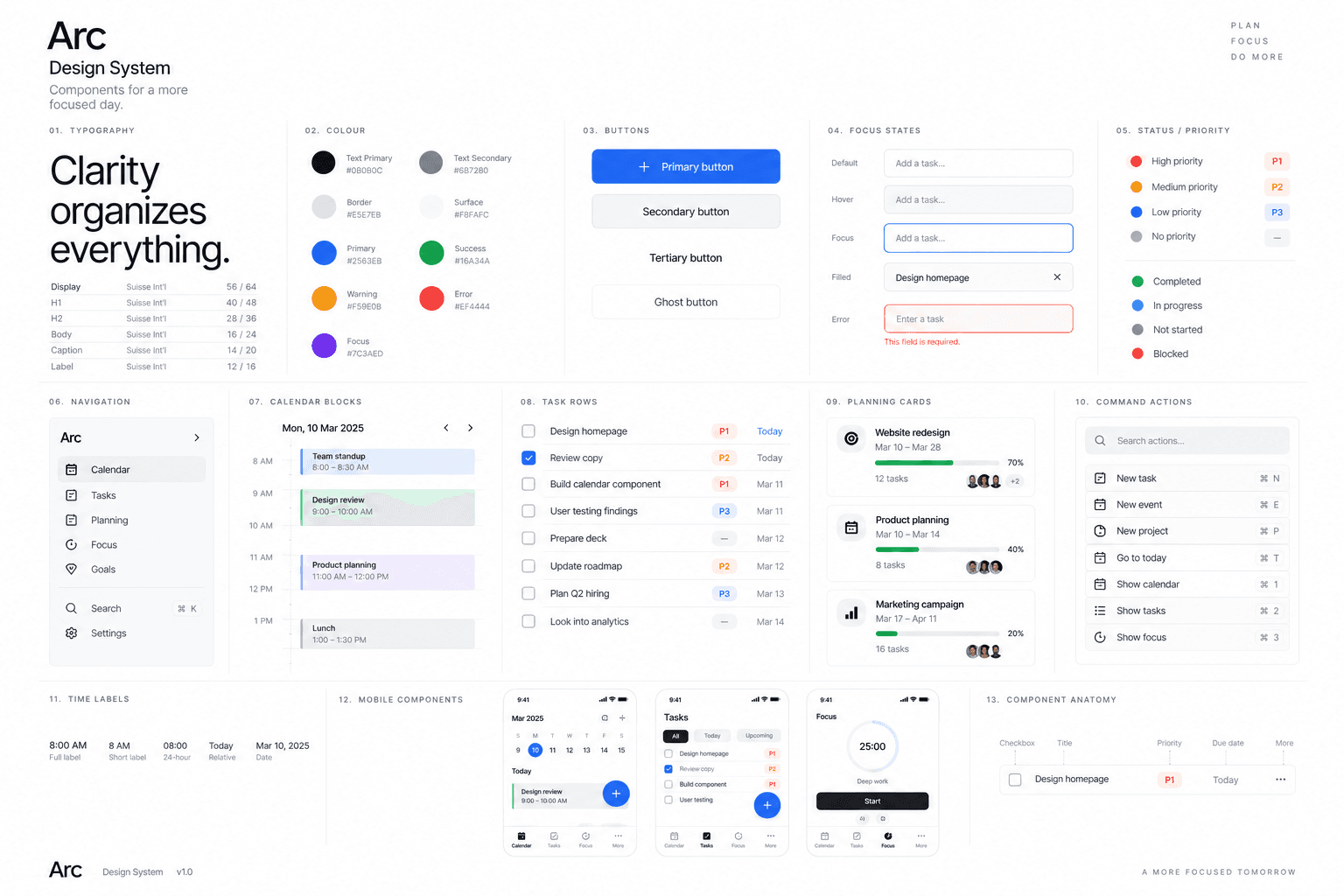
The Arc design system board showing typography, colour, buttons, focus states, calendar blocks, task rows and planning cards
One visual language across planning, execution and review, so moving between them never feels like changing tools.

09 · The takeaway

Productivity software without the command centre.

Arc let us explore planning without reproducing the visual language of dense project management tools. The goal was to make it feel lighter, more spatial and more human, and to leave the person using it with a week they believe in rather than a list they resent.

Got something worth building?

Contact Us